Home / Projects / AI Projects Bundle

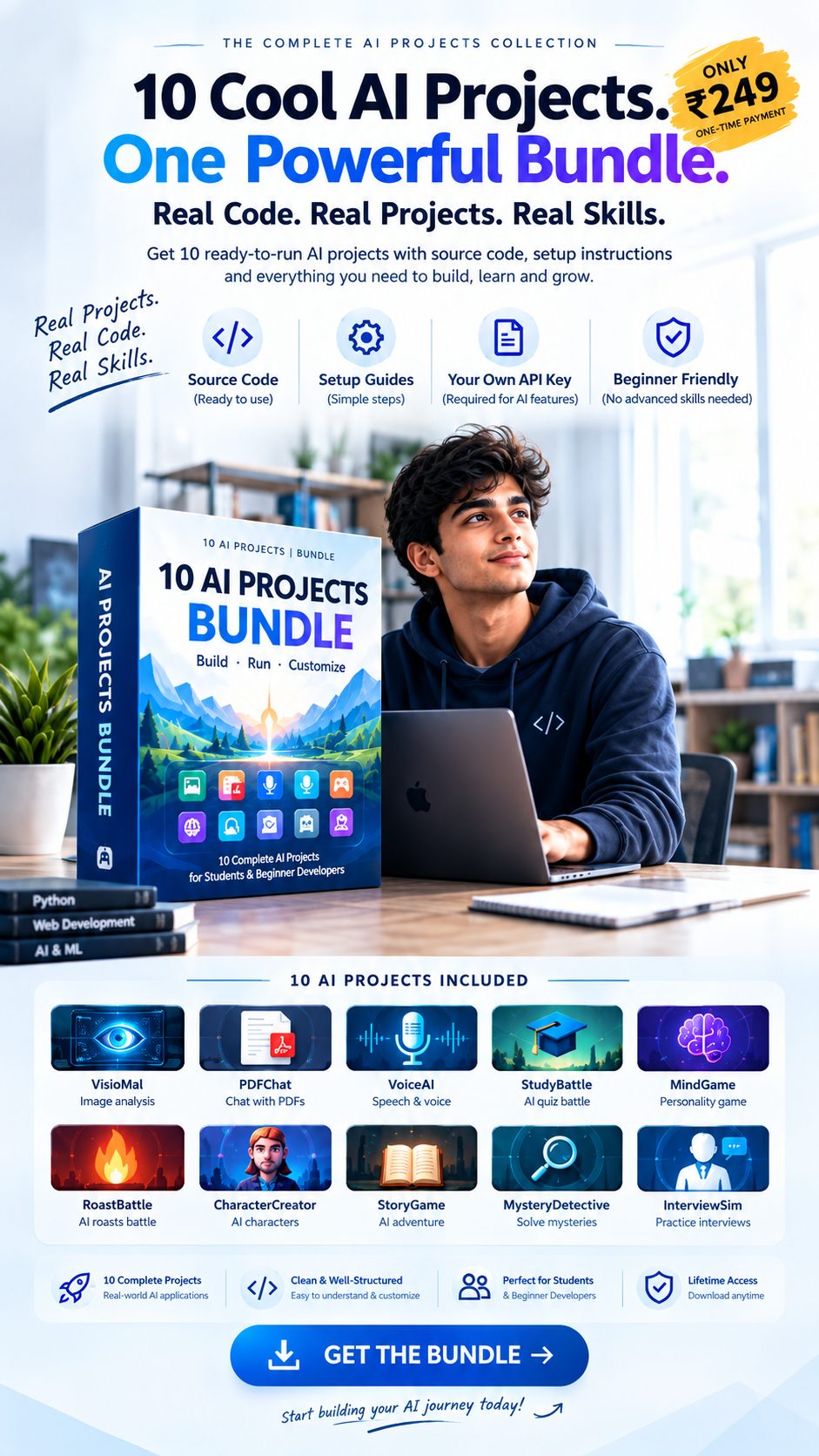
AI Projects Bundle cover: box art with all 10 projects

◈ Digital bundle

AI Projects Bundle (10 Projects)

Available in: instant download

₹249

one-time · yours to keep · Groq key required for AI features

Inside the ZIP

  • ✓ 01-VisionAI — image analysis
  • ✓ 02-PDFChat — PDF chat with sources
  • ✓ 03-VoiceAI — voice interaction
  • ✓ 04-StudyBattle — quiz battle
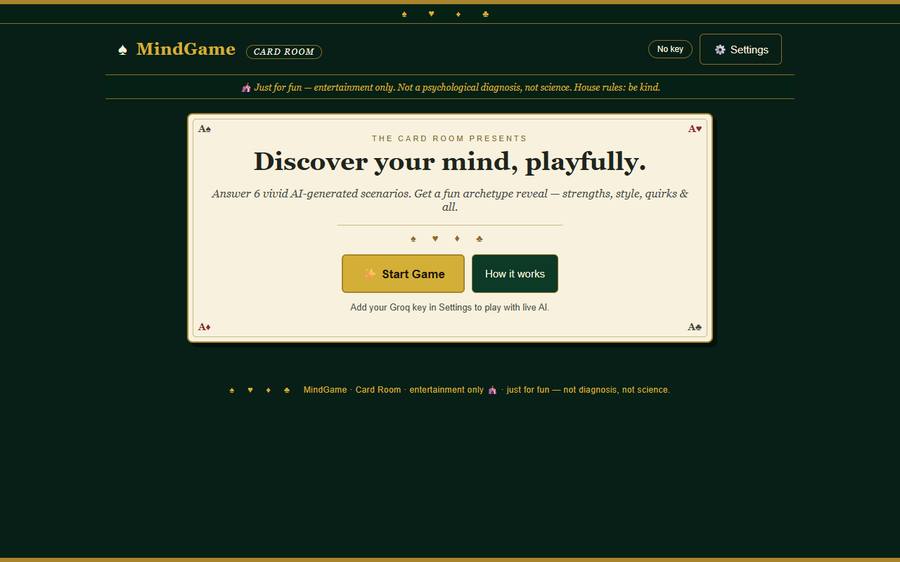
  • ✓ 05-MindGame — personality game
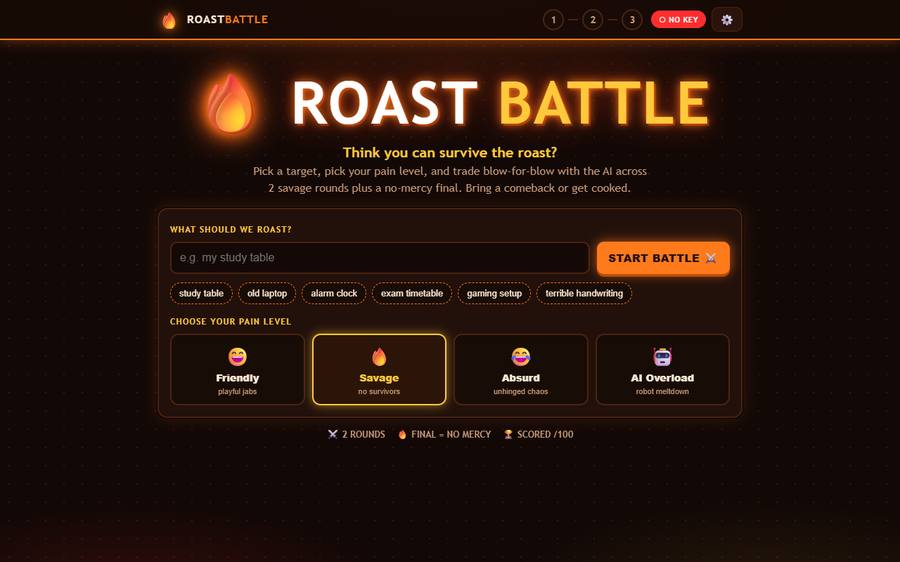
  • ✓ 06-RoastBattle — roast battle
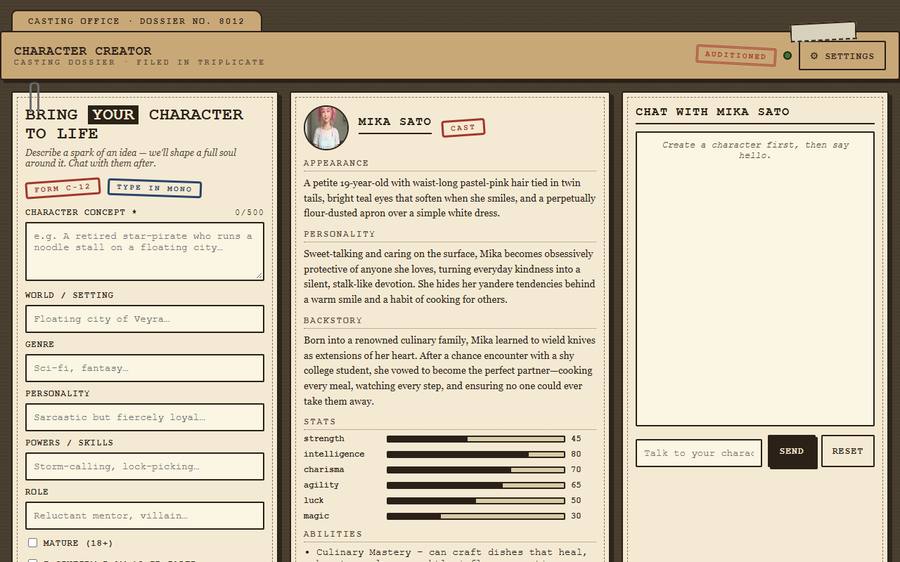
  • ✓ 07-CharacterCreator — AI characters
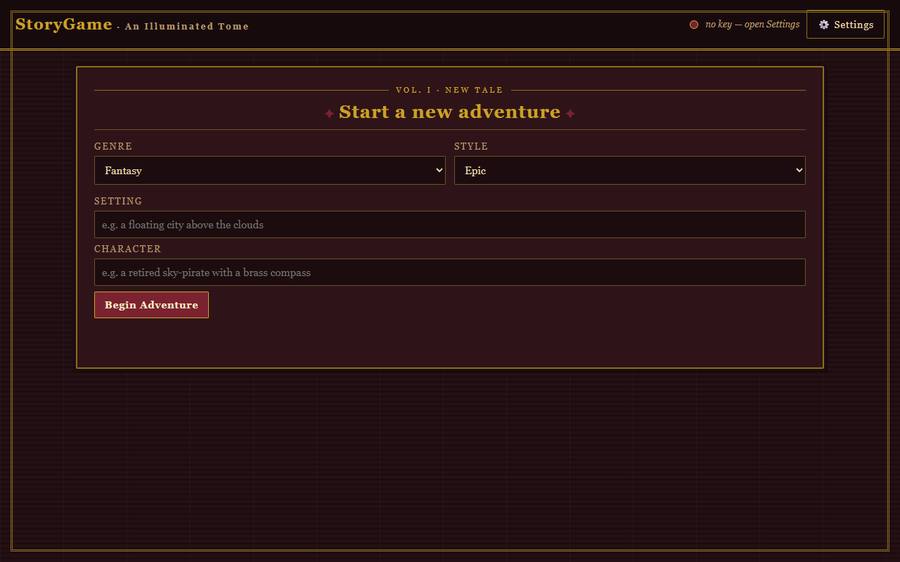
  • ✓ 08-StoryGame — branching adventure
  • ✓ 09-MysteryDetective — mystery cases
  • ✓ 10-InterviewSim — interview practice

API keys are NOT included.
Each project runs on your computer with your own free Groq key.

Get your free Groq API key (2 minutes)

  1. Go to console.groq.com/keys and sign up or log in (free).
  2. Click “Create API Key”. Give it any name, e.g. my-projects.
  3. Copy the key. It starts with gsk_ — it is shown only once, so copy it now.
  4. Use it in any project, two ways:
    A) Open the project's .env file and set GROQ_API_KEY=gsk_…your key…, then restart the app — or
    B) Start the app, open Settings, and paste the key there (lasts until you stop the app).

Free tier, no card required. Never share your key publicly or commit a .env file to GitHub.

Tutorials tell you. Projects show you.

You don't just get instructions. You get the source code for 10 working projects.

Prompts / tutorials

  • ❌ Steps to follow, nothing to run
  • ❌ Breaks the moment versions change
  • ❌ Nothing of your own at the end

Actual projects

  • ✓ Full source code you can run today
  • ✓ Setup instructions + README files
  • ✓ .env.example files where applicable
  • ✓ Customize everything; bring your own API key

What's inside

Ten independent projects. Open any folder, follow its README, run it.

Image AI

VisionAI

Upload an image, ask AI questions about what it contains.

✦ Ask anything about any photo

Explore →
Documents

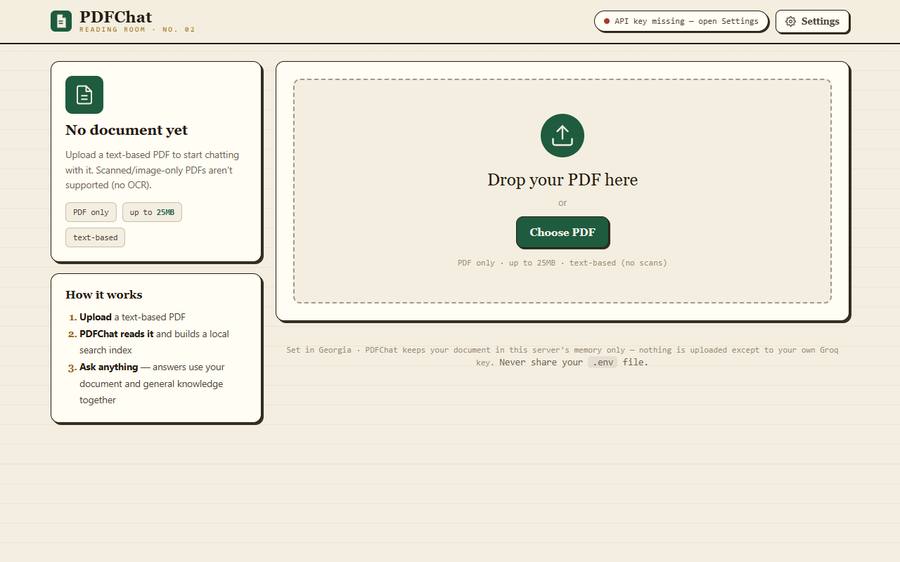
PDFChat

Chat with PDFs using local retrieval plus grounded AI answers.

✦ Answers cite real page numbers

Explore →
Voice

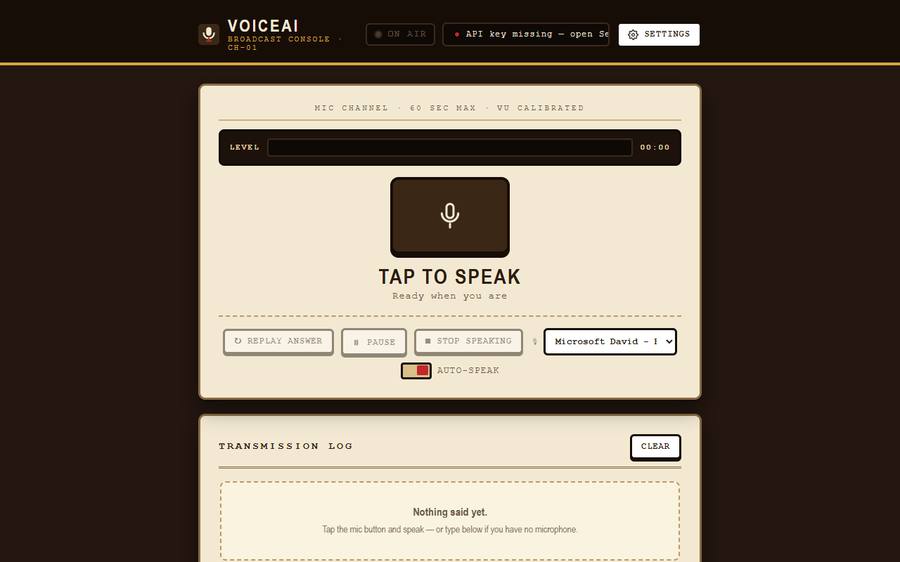
VoiceAI

Talk to AI with browser speech recognition and speech synthesis.

✦ No premium voice service needed

Explore →
Game

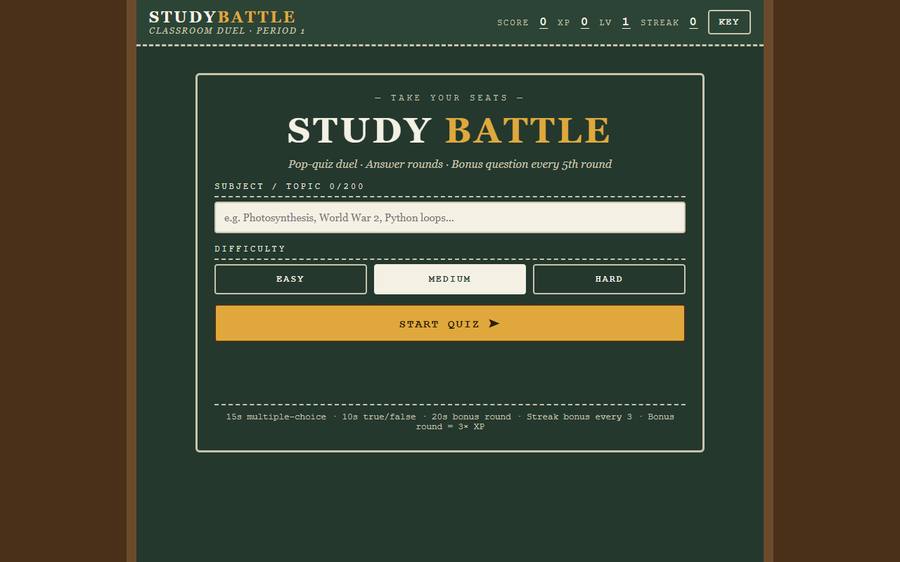
StudyBattle

An arcade-style AI quiz battle with XP, streaks and boss rounds.

✦ Boss round every 5th battle

Explore →
Game

MindGame

Choice-based AI personality game with a fun archetype result.

✦ Shareable result card

Explore →
Game

RoastBattle

Three-round AI roast battle with comebacks and round scores.

✦ Final verdict + winner reveal

Explore →
Characters

CharacterCreator

Build AI characters, then chat with them in character.

✦ Export your character cards

Explore →
Story

StoryGame

Branching AI adventure with state, inventory and endings.

✦ Your choices carry forward

Explore →
Mystery

MysteryDetective

Solve AI-generated mysteries with evidence and accusation.

✦ Evidence board + probe budget

Explore →
Career

InterviewSim

Mock interviews with AI scoring and a practice report.

✦ CV-tailored question plans

Explore →

Inside the bundle

Real screenshots from the actual running apps — this is what you get to run and modify.
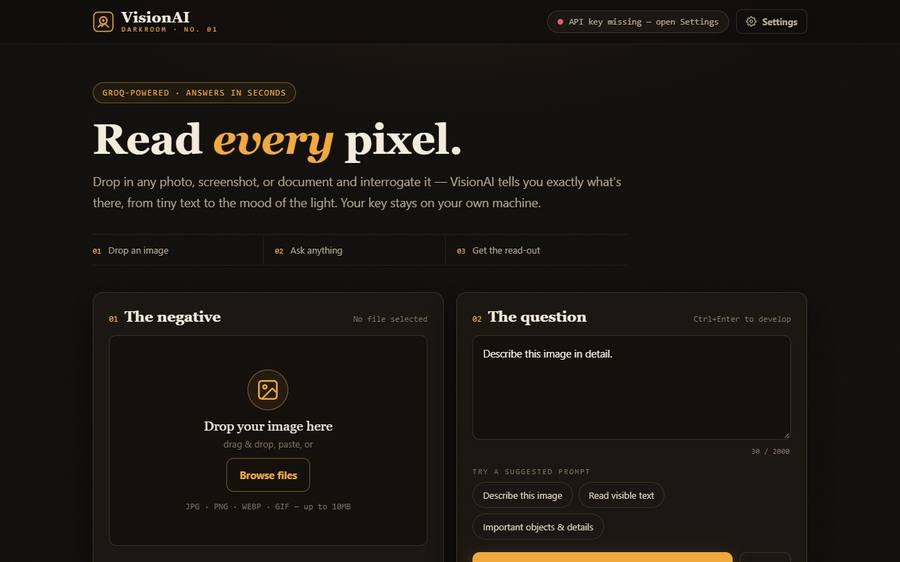
VisionAI app: darkroom-style image analysis interface
VisionAI — image analysis
PDFChat app: reading-room PDF chat interface
PDFChat — chat with PDFs
VoiceAI app: broadcast-console voice interface
VoiceAI — talk to AI
StudyBattle app: chalkboard quiz duel
StudyBattle — quiz duel
MindGame app: casino card-table game
MindGame — personality game
RoastBattle app: arcade roast battle arena
RoastBattle — roast arena
CharacterCreator app: casting-dossier character sheet
CharacterCreator — character forge
StoryGame app: illuminated-tome adventure
StoryGame — branching adventure
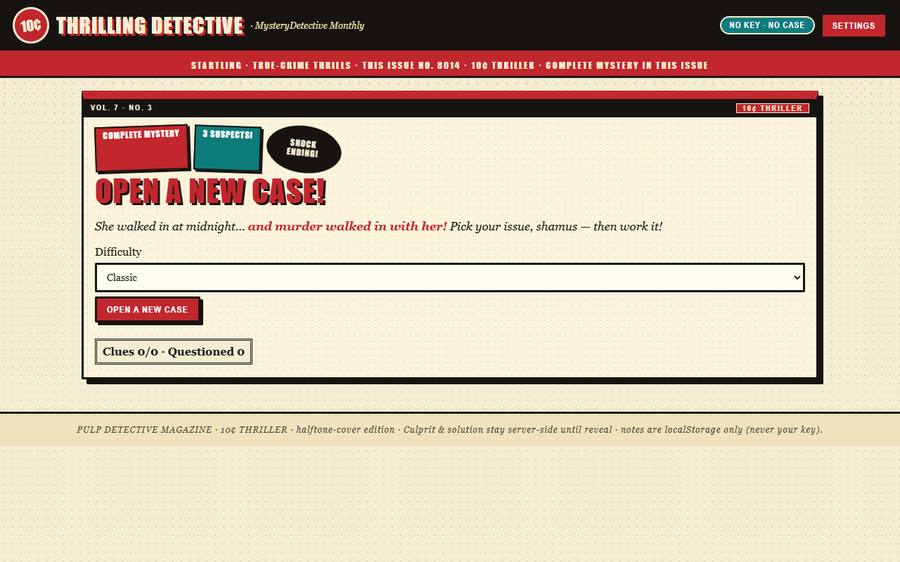
MysteryDetective app: pulp detective case file
MysteryDetective — case files
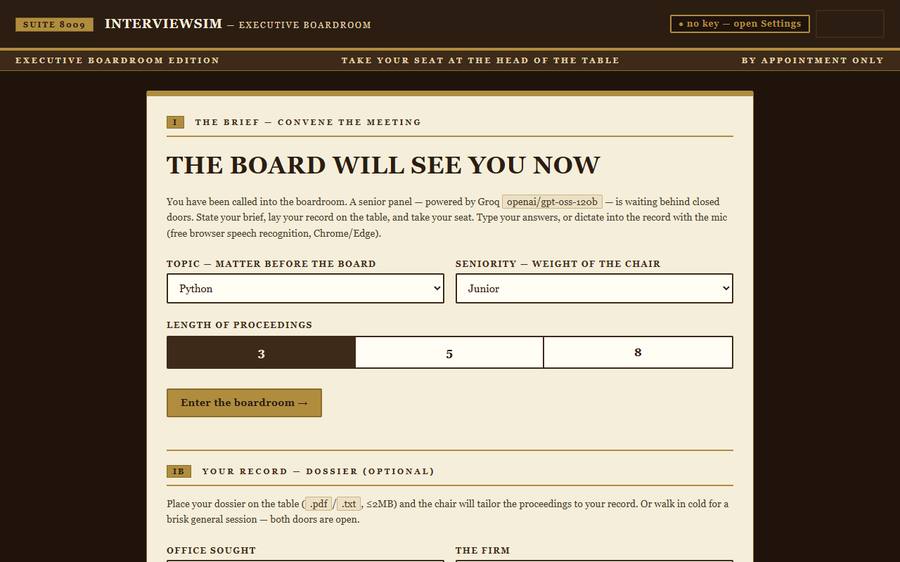
InterviewSim app: boardroom interview setup
InterviewSim — mock interviews

From download to running in minutes

  1. 01Choose a projectAny of the 10 folders — start with RoastBattle.
  2. 02Download the bundleOne ZIP with everything inside.
  3. 03Add your Groq API keyFree at console.groq.com — where the README says.
  4. 04Install dependenciespip install -r requirements.txt, per README.
  5. 05Run it locallyOne command from the README, open in your browser.
  6. 06Customize & experimentChange prompts, themes, rules — it's yours.

Setup requirements vary between projects — each README lists its exact steps.

Built for builders

🎓

College students

Real projects to run, break, and learn from — beyond textbook exercises.

🌱

Beginner developers

Readable Python + vanilla JS. No frameworks to fight first.

🤖

AI enthusiasts

Ten different ways to put an LLM to work: vision, voice, RAG, games.

🔨

Learn-by-builders

Practical projects for experimentation and customization.

These are learning projects. They don't guarantee jobs, internships, clients, or income — they guarantee real code in your hands.

What you get

  • ✓ 10 complete AI projects
  • ✓ Full source code
  • ✓ Project README files
  • ✓ Setup instructions
  • ✓ .env.example files where applicable
  • ✓ Multiple types of AI applications
  • ✓ Downloadable ZIP
  • ✓ Projects you can customize

Your own Groq API key is required for AI functionality where applicable.
API keys are NOT included.

Get the Bundle — ₹249